What you actually get

10 apps make up the core — on hardware you own, every one of them free and open source — plus 3 clients you install on your own machines to reach them. Plus 14 optional bonus services you can turn on. Scroll through and see what they look like.

Where a second brain starts

Notes

You install this one · not hosted

You install this one yourself. It writes plain files into a folder Nextcloud syncs, which is how everything downstream gets at your notes.

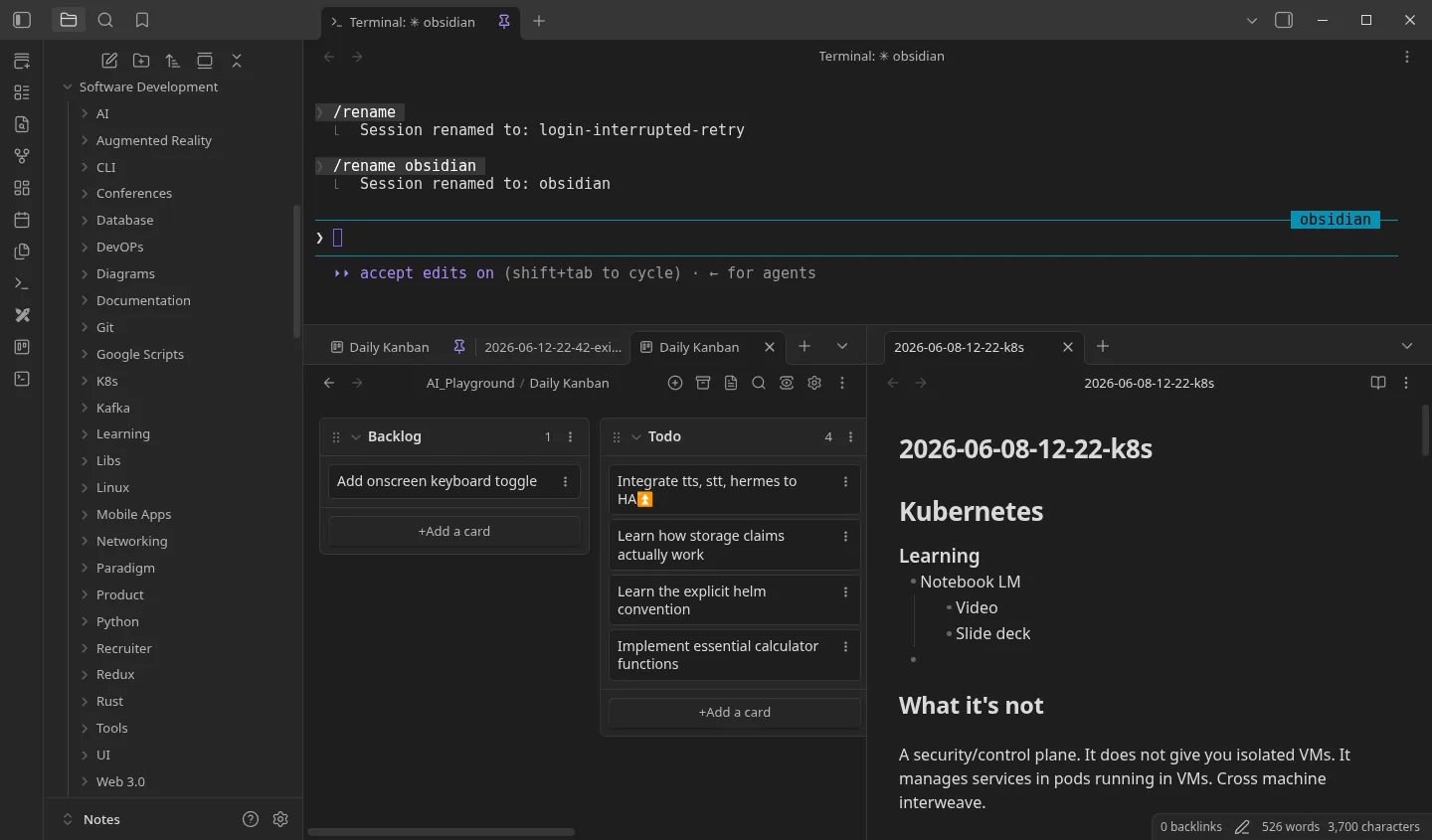
Obsidian — desktop app, reads your vault folder
The Obsidian interface
Obsidian — desktop app, reads your vault folder
The Obsidian interface

Obsidian

Notes and tasks, as plain Markdown files

Free — but not open source

The front door to the whole thing: a fast editor over a folder of Markdown files, with backlinks, graph view, and Kanban boards for tasks. The vault sits in a directory Nextcloud syncs, so the notes reach the rest of the stack as plain files — no API, no export step, nothing to integrate.

Free without limits — no sign-up, personal and commercial use alike. Paid Sync, Publish and a commercial licence are there if you want to support the developers. It isn’t open source — but your notes stay plain .md files in a folder you own, so the editor is replaceable.

What everything else hangs off

The pillars

Nextcloud carries your files — the Obsidian vault among them. Home Assistant carries what the house is doing. Hermes reads both. Everything after this section is either a way of talking to Hermes or a way of giving it more to work with.

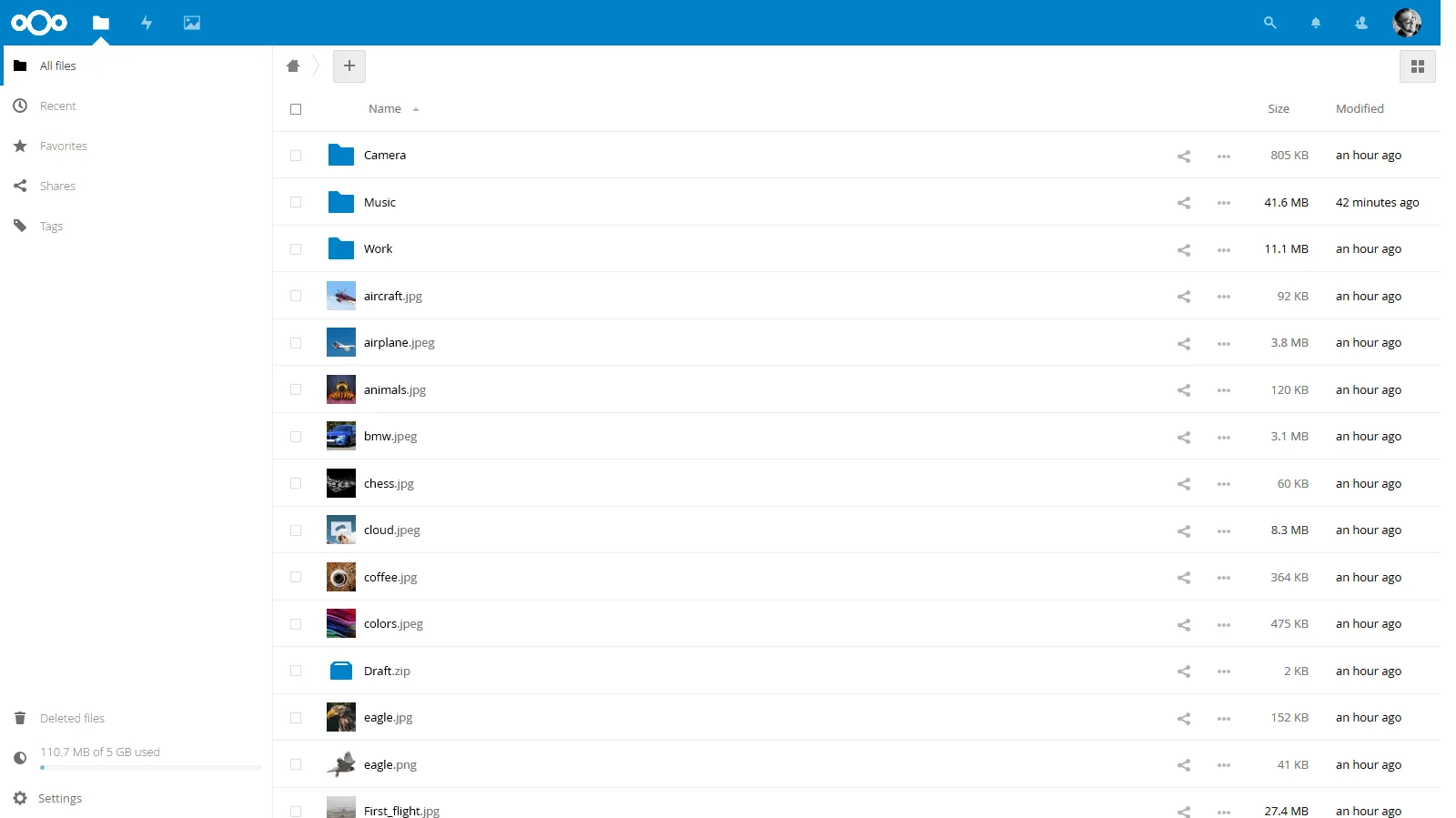
nextcloud.yourdomain.com
The Nextcloud interface
nextcloud.yourdomain.com
The Nextcloud interface

Nextcloud

File sync + collaboration

Dropbox that you own: desktop and mobile sync clients, sharing links, calendars and contacts. It also feeds the agent, and it is where the Obsidian vault lives — so every file you drop in, notes included, is material Hermes can read without an upload step or a third party in the middle.

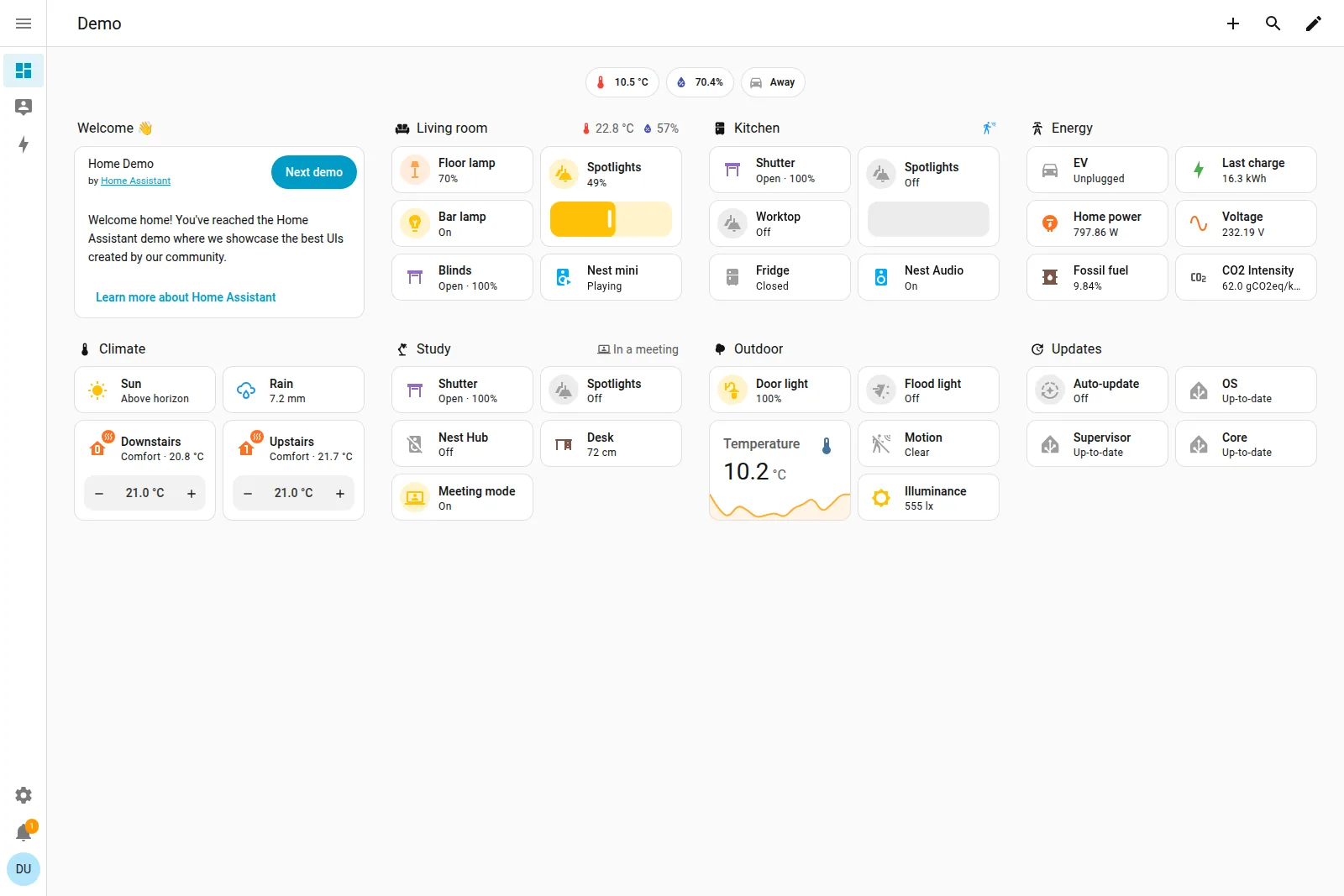
homeassistant.yourdomain.com
The Home Assistant interface

Home Assistant

Smart home automation

Every smart device you own on one dashboard, talking to each other instead of to five different phone apps. It feeds Hermes what the house is doing and doubles as a way to talk back to it by voice — and because automations run locally, the lights still work when the internet is down.

hermes-agent-dashboard.yourdomain.com
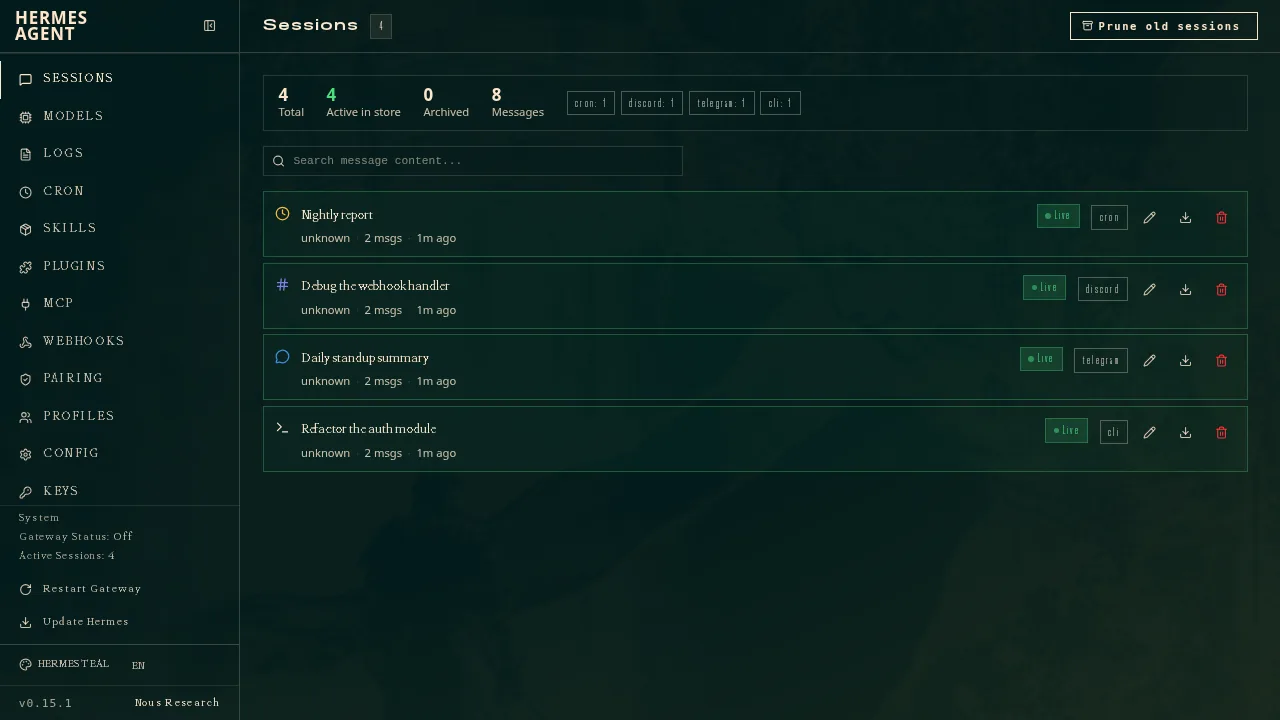
The Hermes interface

Hermes

The agent everything else plugs into

The middle of the whole diagram. Your notes, files and house state go in; the chat window, the editor and the voice assistant all come out of it. One OpenAI-compatible endpoint holding the models, the tools and the skills, with a dashboard for watching what it actually did.

One brain, more than one front door

Talking to it

Open WebUI is the chat window; Home Assistant above is the same agent by voice. Same models and same memory behind each one.

open-webui.yourdomain.com
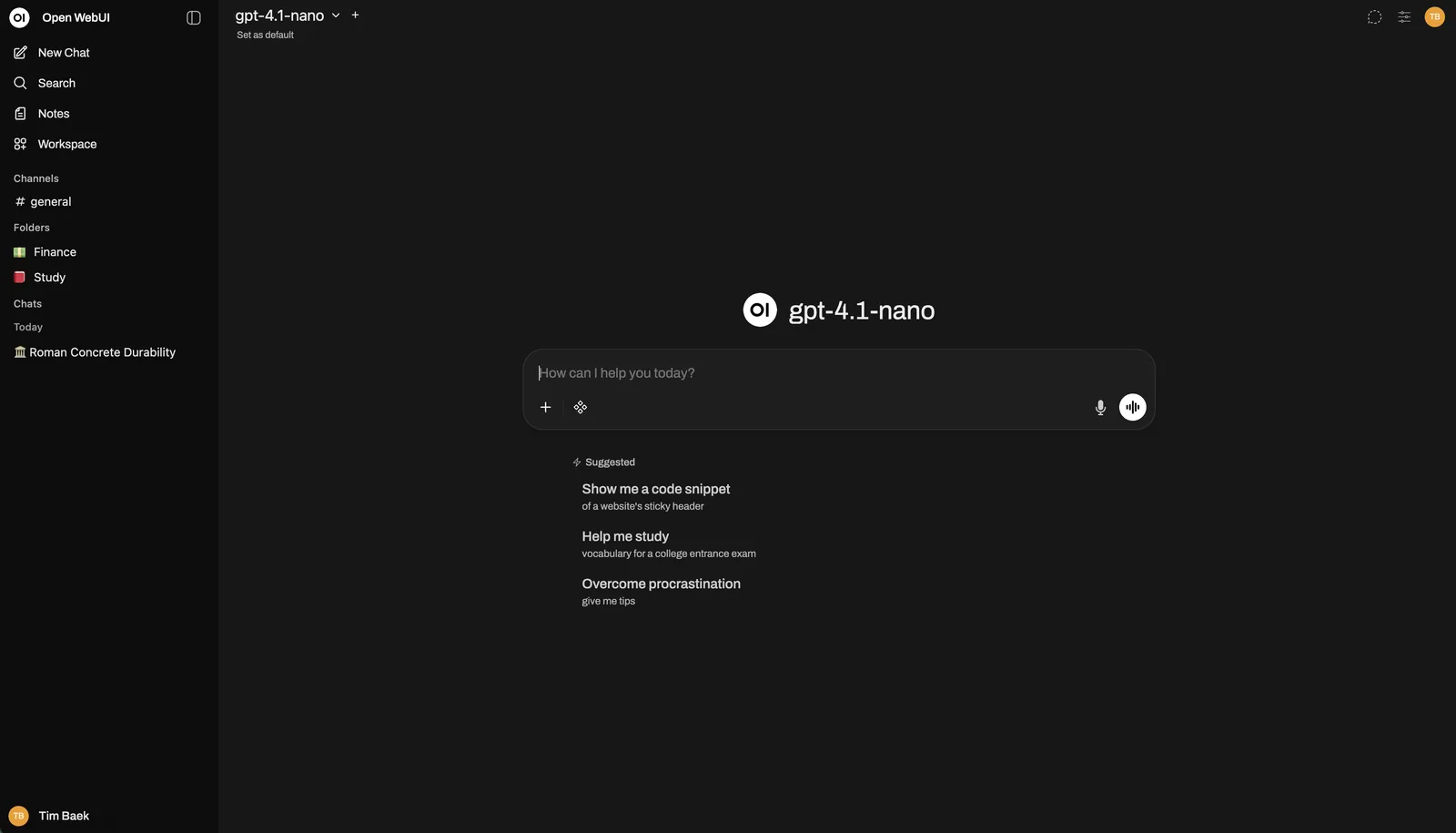
The Open WebUI interface
open-webui.yourdomain.com
The Open WebUI interface

Open WebUI

Chat UI routed through hermes-agent

The chat window you actually talk to — threads, file uploads, model switching, all of it running against your own GPU instead of somebody’s API. It looks like the chat app you already use, except nothing you type leaves the house.

Giving Hermes more to work with

Extending it

Each of these hands the agent something it could not do on its own — a memory of you, and somewhere to look things up.

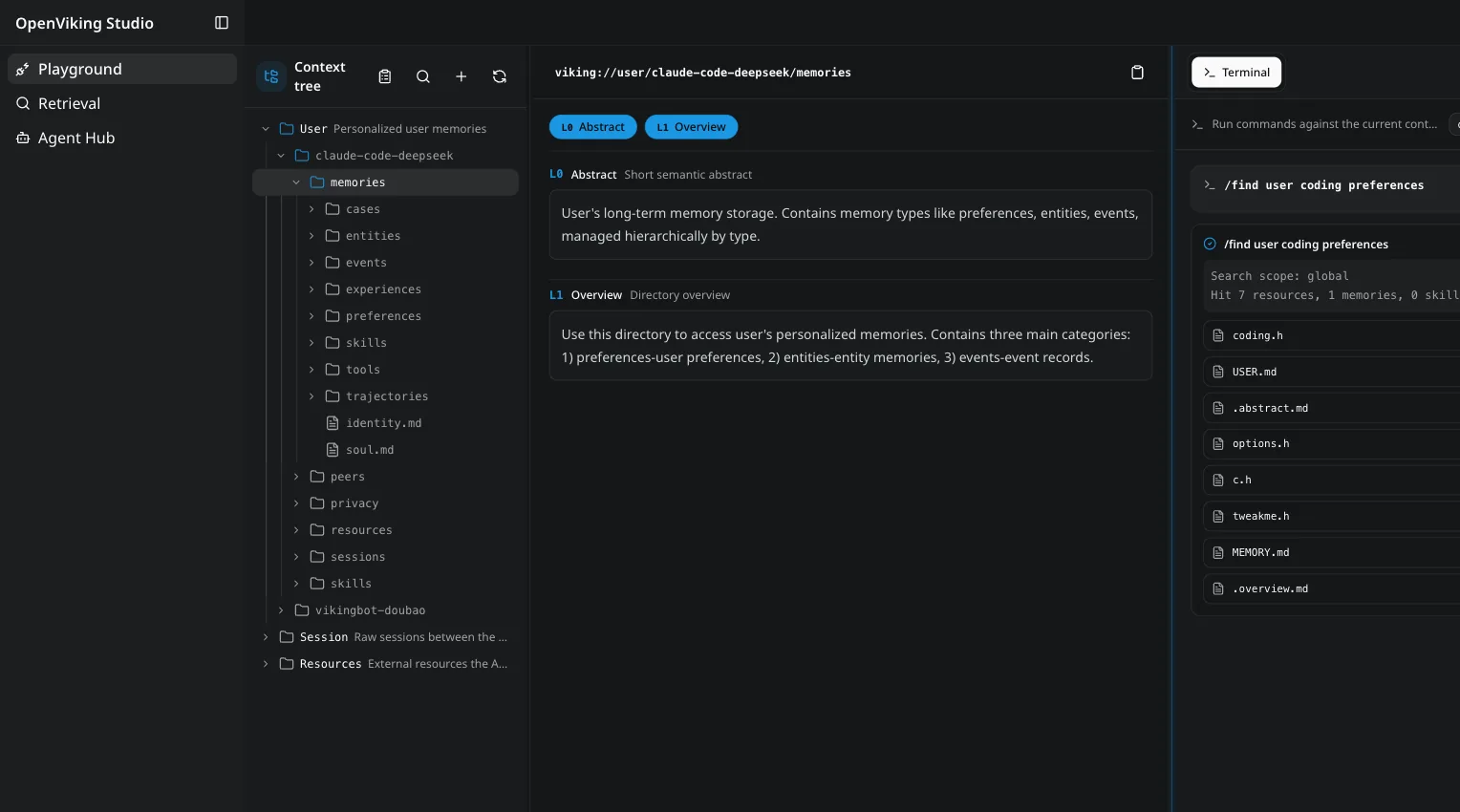
openviking.yourdomain.com
The OpenViking interface
openviking.yourdomain.com
The OpenViking interface

OpenViking

Context database — notes, scraped resources, agent memory

The searchable side of the agent’s memory: your notes, pages it has scraped, and what it has been told, all indexed. It is what lets Hermes answer from your own material rather than only from what it was trained on.

honcho — background service, no web UI
Honchoscreenshot coming

Honcho

Memory that survives the conversation

Cross-session memory for the agent. Without it every conversation starts cold; with it, what Hermes worked out about you last week is still there this week. It runs behind the gateway with no interface of its own.

Storage, networking, and knowing it is all up

Underneath

The parts you stop noticing once they work.

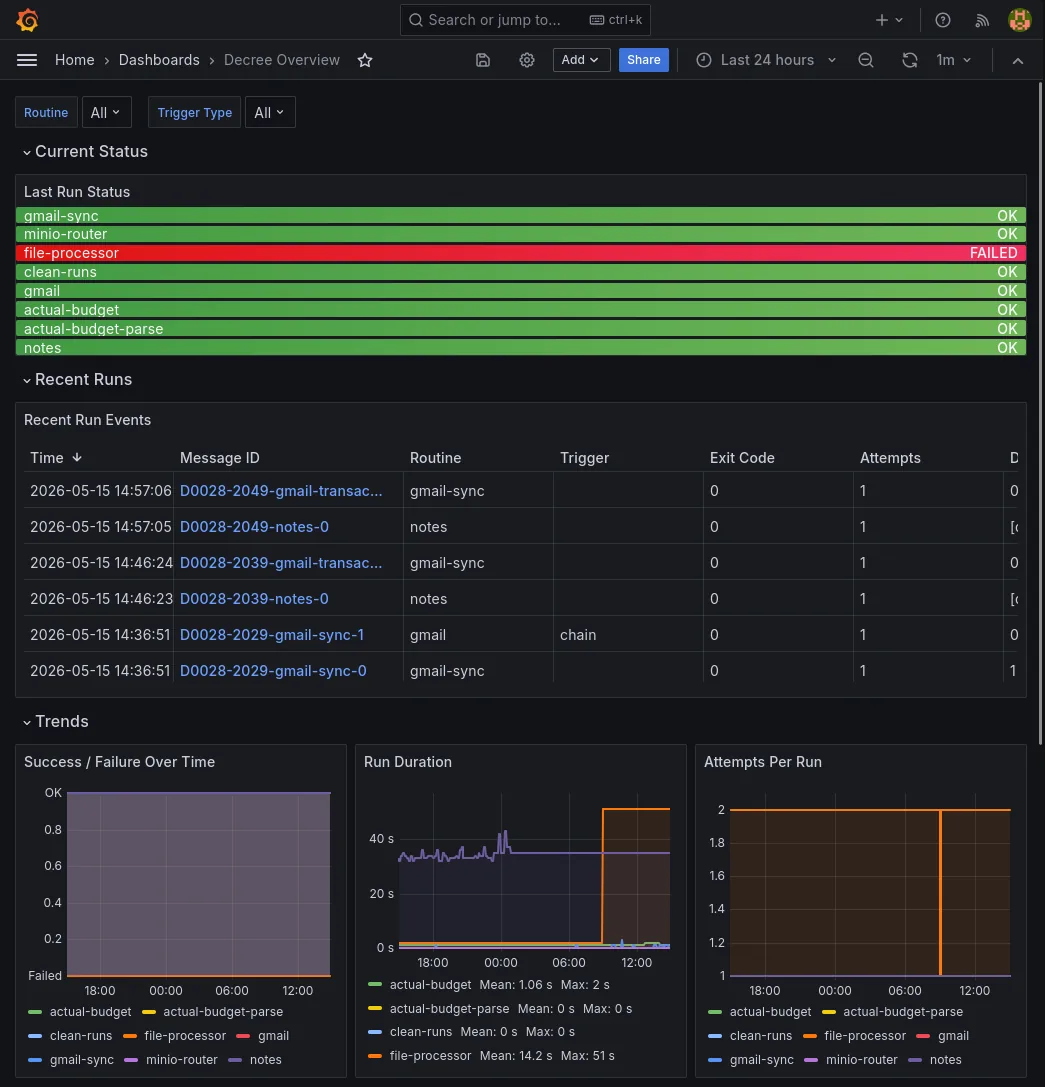
grafana.yourdomain.com
The Grafana interface
grafana.yourdomain.com
The Grafana interface

Grafana

Dashboards

Graphs of everything the stack emits — container health, disk headroom, how long the nightly jobs took, whether the GPU is actually being used. The one screen to check when something feels slow.

minio.yourdomain.com
The MinIO interface

MinIO

S3-compatible object store

An S3 bucket in your basement. Anything that speaks the S3 API — backup tools, app uploads, the AI services stashing artifacts — points at it and works, with a console for browsing what landed.

Where you see it and where it reaches you

The everyday surface

One page linking everything above, and one channel every automation reports back on.

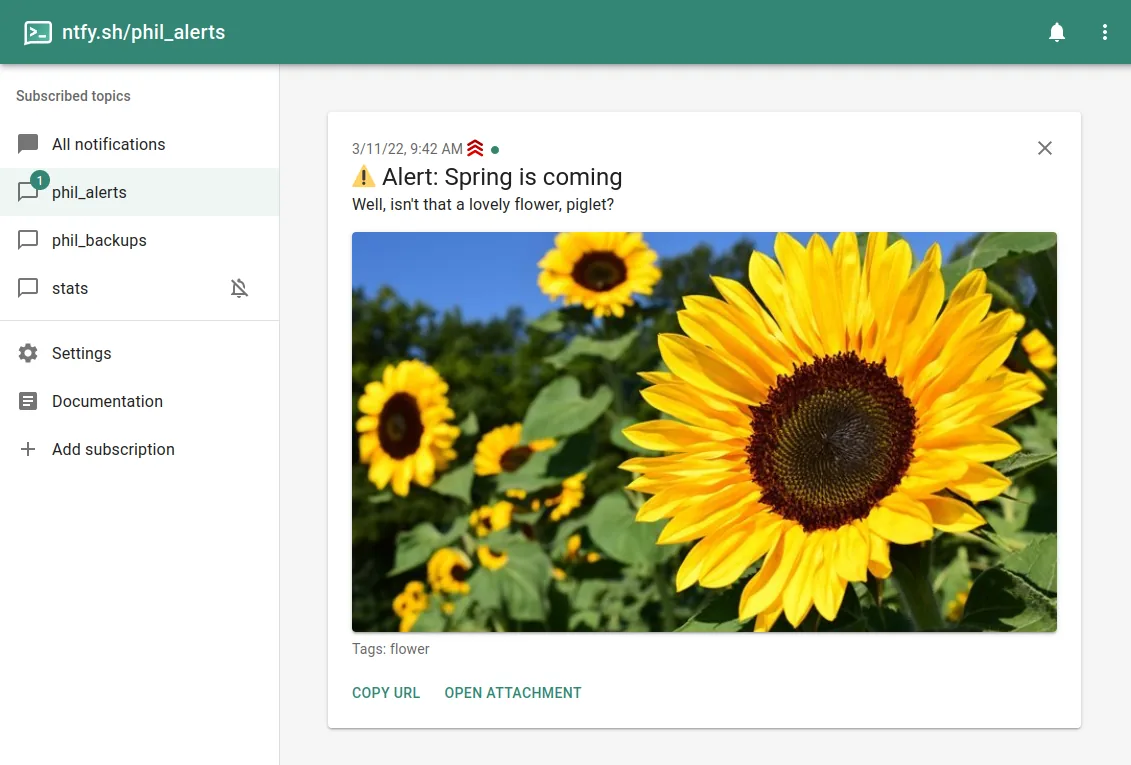
ntfy.yourdomain.com
The Ntfy interface
ntfy.yourdomain.com
The Ntfy interface

Ntfy

Push notifications

Push notifications to your phone from a one-line HTTP request, no app account and no vendor in between. Every automation in the stack uses it to tell you a backup finished, a transcript is ready, or something broke.

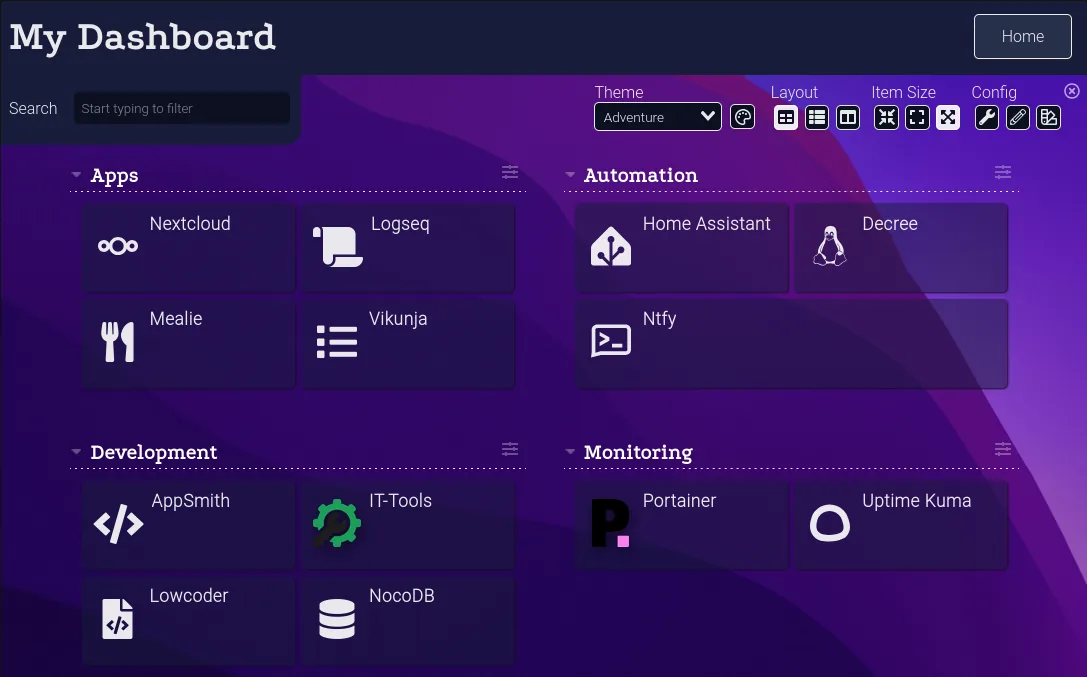
dashy.yourdomain.com
The Dashy interface

Dashy

The front door to everything else

One page with a tile for every service you enabled, grouped and status-checked — a red dot appears the moment something stops answering. It is the bookmark you actually keep, and it is generated from the same config that decides what runs.

The rest of what we would install

Also on your devices

You install this one · not hosted

The clients that get you at your own data from whatever machine or phone is in front of you.

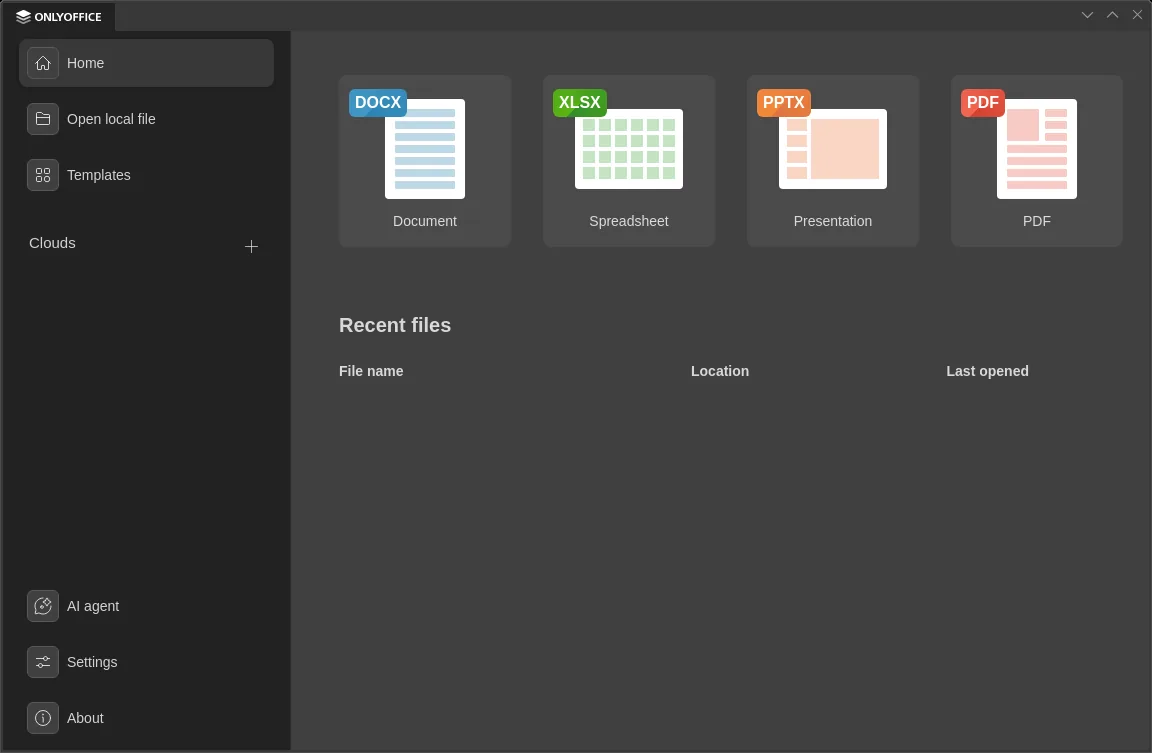
ONLYOFFICE Desktop — edits the files Nextcloud syncs
The ONLYOFFICE Desktop interface
ONLYOFFICE Desktop — edits the files Nextcloud syncs
The ONLYOFFICE Desktop interface

ONLYOFFICE Desktop

Documents, spreadsheets and slides, on your machine

A desktop office suite with the best .docx / .xlsx / .pptx fidelity of the free options — Microsoft formats open without the layout drift you get elsewhere. It edits files in place in the folder Nextcloud syncs, so Collabora covers the quick edit in a browser tab and this covers the long session.

Tailscale — a private network across your devices
Tailscalescreenshot coming

Tailscale

Reach it all from anywhere, without opening a port

Free for personal use

A private network that follows your devices around, built on WireGuard. Your laptop and phone behave as though they were on the home LAN, so every service stays reachable from a hotel or a train without any of it facing the open internet — nothing to port-forward, nothing to expose, no attack surface added.

The clients are open source (BSD-3), but the coordination service that introduces your devices to each other is Tailscale’s own, and hosted. Headscale is an open-source replacement for that piece if you would rather run it yourself.

Android — Home Assistant · Obsidian · Nextcloud
On your phonescreenshot coming

On your phone

The same system, in your pocket

Home Assistant, Obsidian and Nextcloud all ship Android apps, so the house controls, the vault and the files travel with you. Nextcloud backs up your camera roll into Immich’s reach and keeps the vault directory in step; on devices where Obsidian can’t read Nextcloud’s storage directly, FolderSync bridges the two folders.

Turn these on and the agent can do more

More ways in, more for the agent

Beyond Core · off unless you turn it on

None of these is required and nothing in Core depends on them. Each one gives the agent a capability it does not otherwise have, or you another door into it.

code-server.yourdomain.com
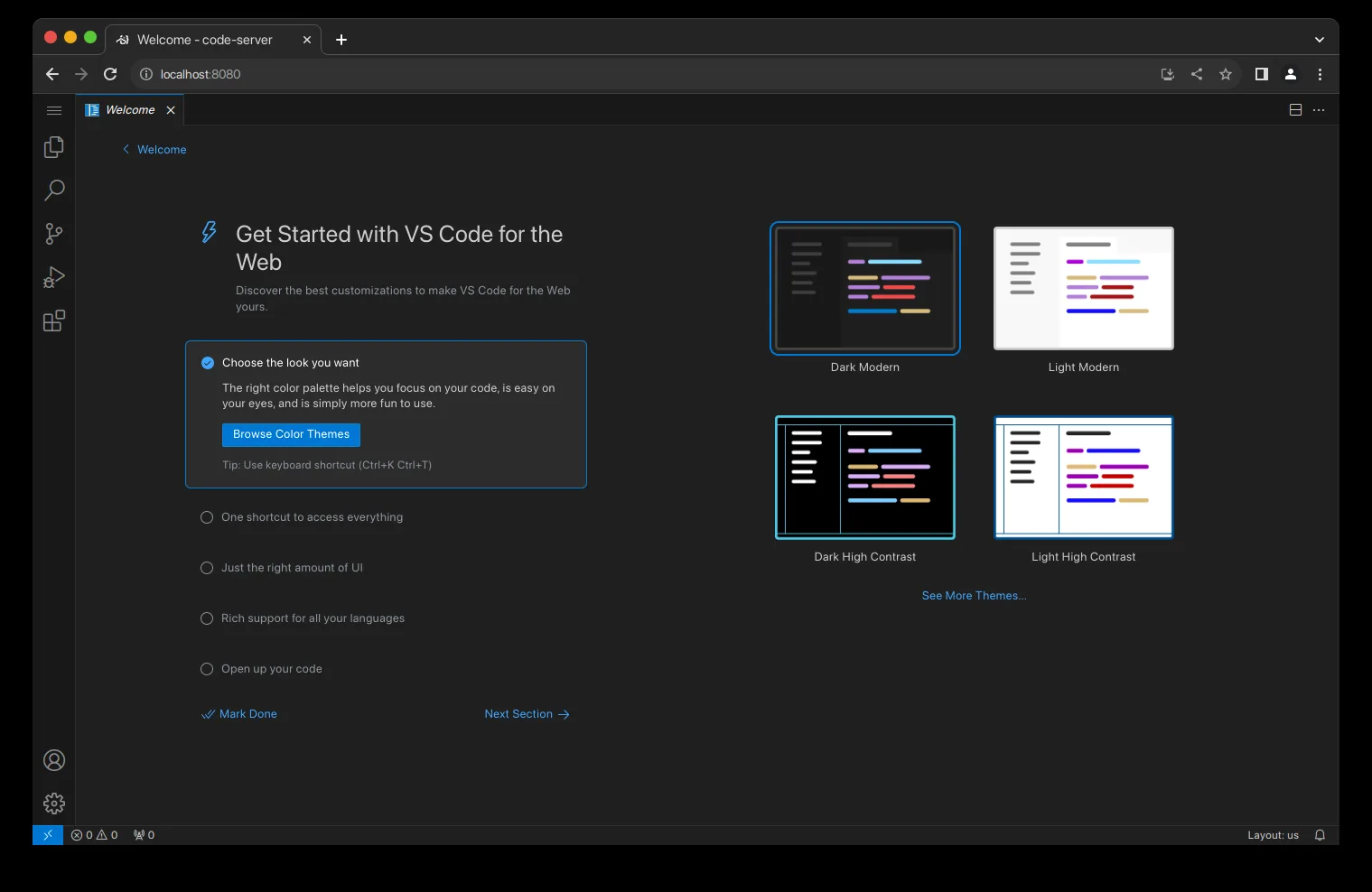
The code-server interface
code-server.yourdomain.com
The code-server interface

code-server

Coding against your own agent

The full editor in a browser tab, reachable from a tablet or a phone. Run opencode inside it and point it at Hermes as its OpenAI endpoint, and the coding assistant shares the same models, skills and memory as everything else here.

comfyui.yourdomain.com
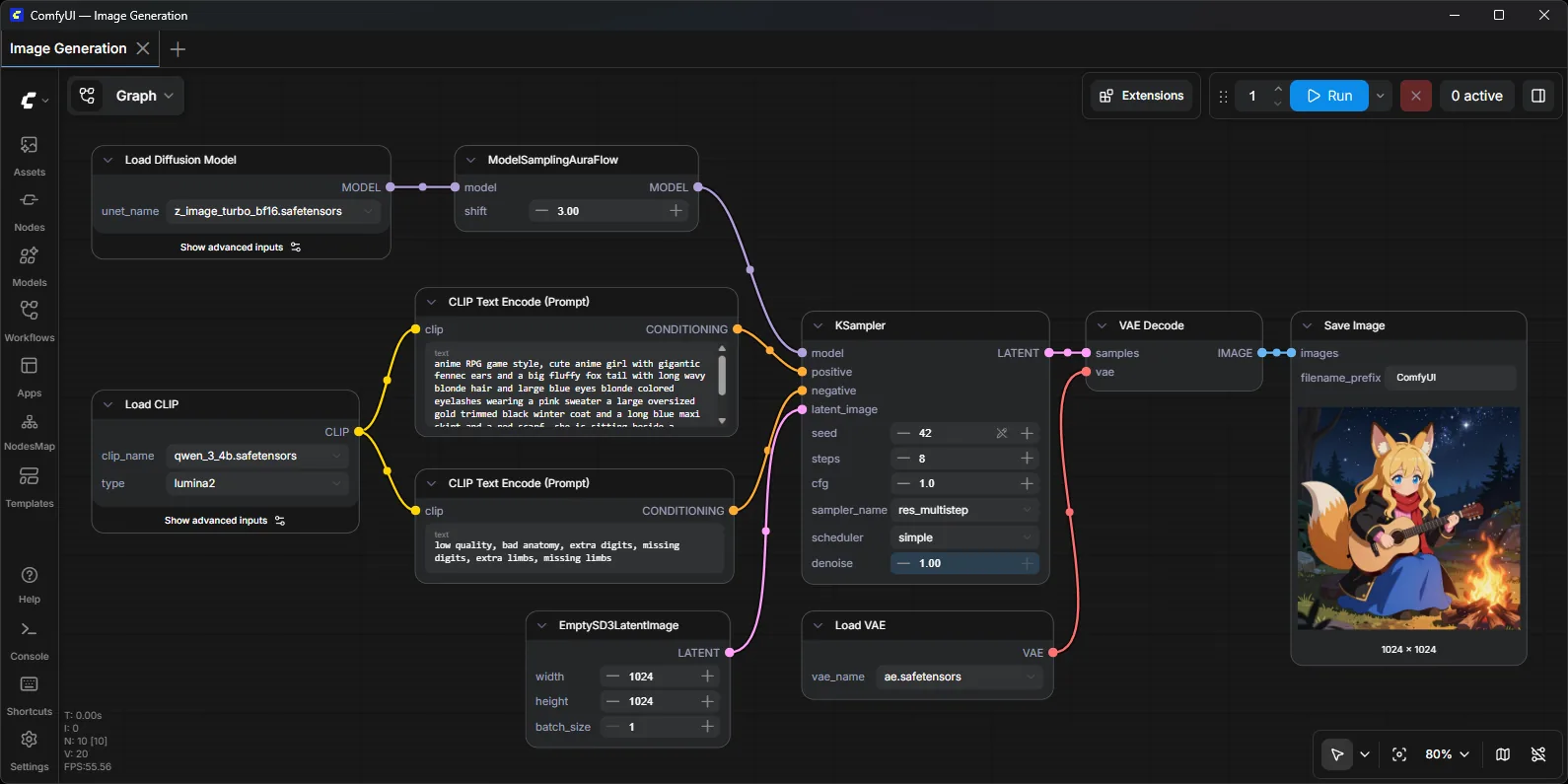
The ComfyUI interface

ComfyUI

Node-based image generation workflows

Image generation as a wiring diagram: nodes for the model, the prompt, the sampler and the output. Fiddly once, then endlessly reusable — and a graph you have built becomes something the agent can trigger, which is how Hermes gets the ability to make pictures.

chatterbox.yourdomain.com
Chatterboxscreenshot coming

Chatterbox

Text-to-speech, running locally

Turns text into speech on your own GPU, with voice cloning from a short sample, over an OpenAI-compatible HTTP API. Home Assistant does not use it — HA speaks the Wyoming protocol and Core ships wyoming-piper for that — so this is here for audio you generate yourself, from a routine or your own code.

Extra visibility and extra plumbing

More of the platform

Beyond Core · off unless you turn it on

Core already gives every service a hostname, a certificate, logs and metrics. These add to that rather than provide it.

portainer.yourdomain.com
Portainerscreenshot coming
portainer.yourdomain.com
Portainerscreenshot coming

Portainer

Container management

A web UI over Docker: which containers are up, what they are logging, and a shell into any of them. The fastest way to answer “why is that one red” without SSH-ing in and remembering the flags.

uptime-kuma.yourdomain.com
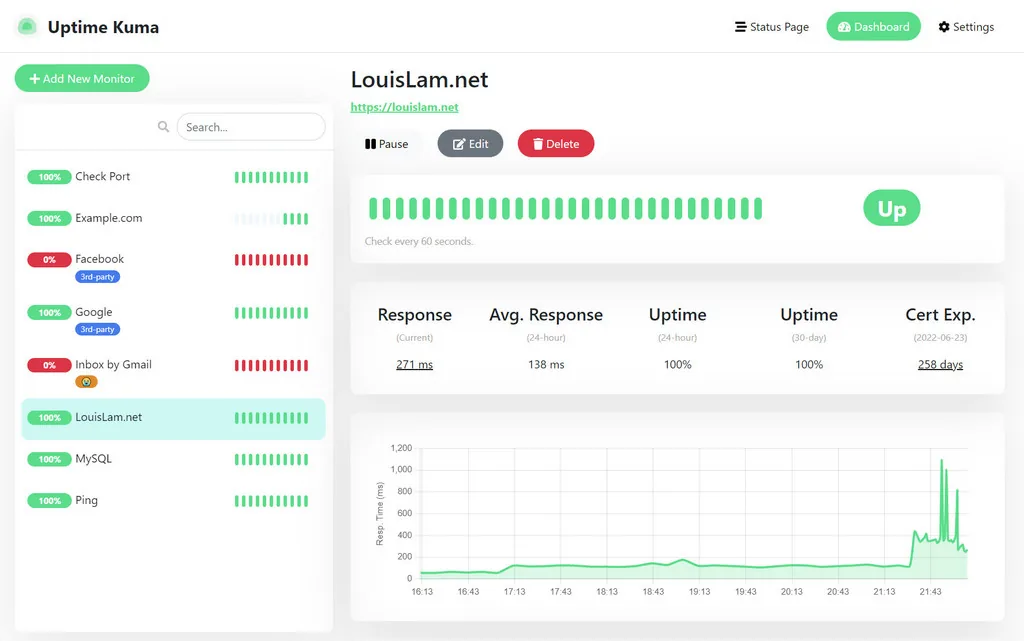
The Uptime Kuma interface

Uptime Kuma

Service availability monitor

Pings every service on a schedule and keeps a wall of green squares. When one turns red it pushes a notification, so you hear about an outage from your own hardware rather than from someone trying to use it.

pihole.yourdomain.com
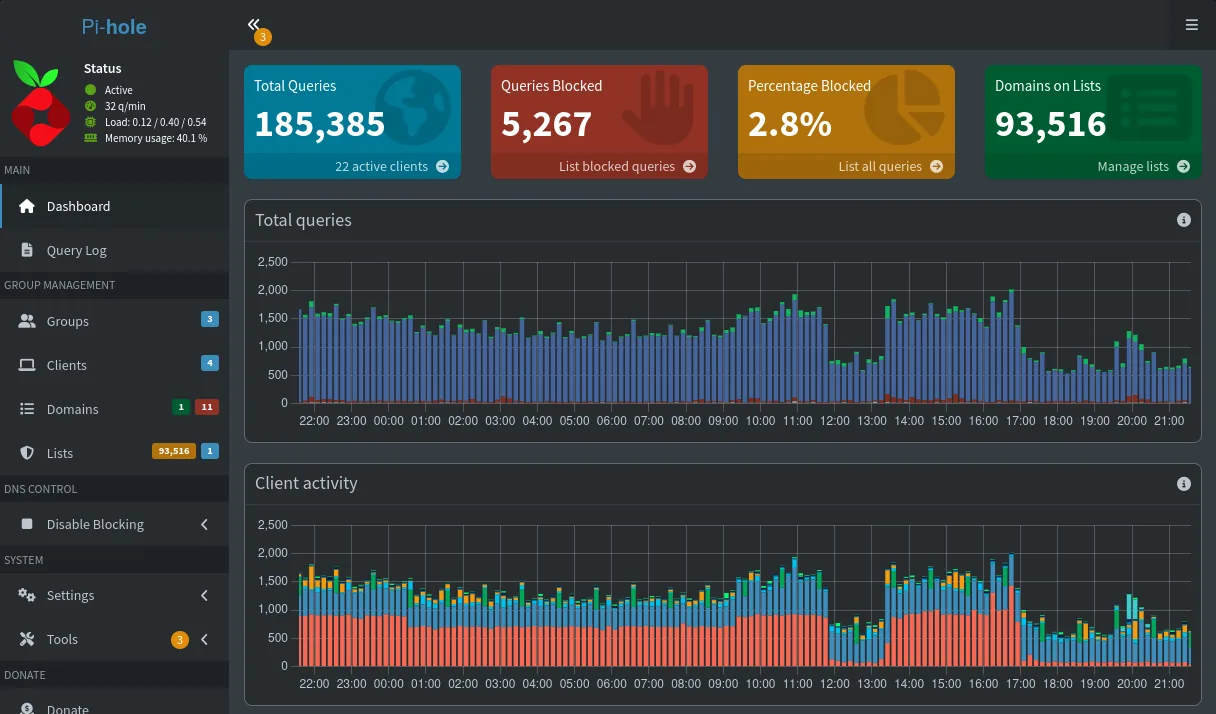
The Pi-hole interface

Pi-hole

DNS + ad-blocking

Network-wide ad and tracker blocking at the DNS layer, which covers the devices you cannot install an extension on. It also resolves the wildcard record that gives every service in this stack its own hostname.

Pick the ones that match something you actually do

Apps

Beyond Core · off unless you turn it on

Ordinary self-hosted apps, sharing the network, the storage and the login you already have. Nothing else depends on any of them — turn one off and the rest carries on.

immich.yourdomain.com
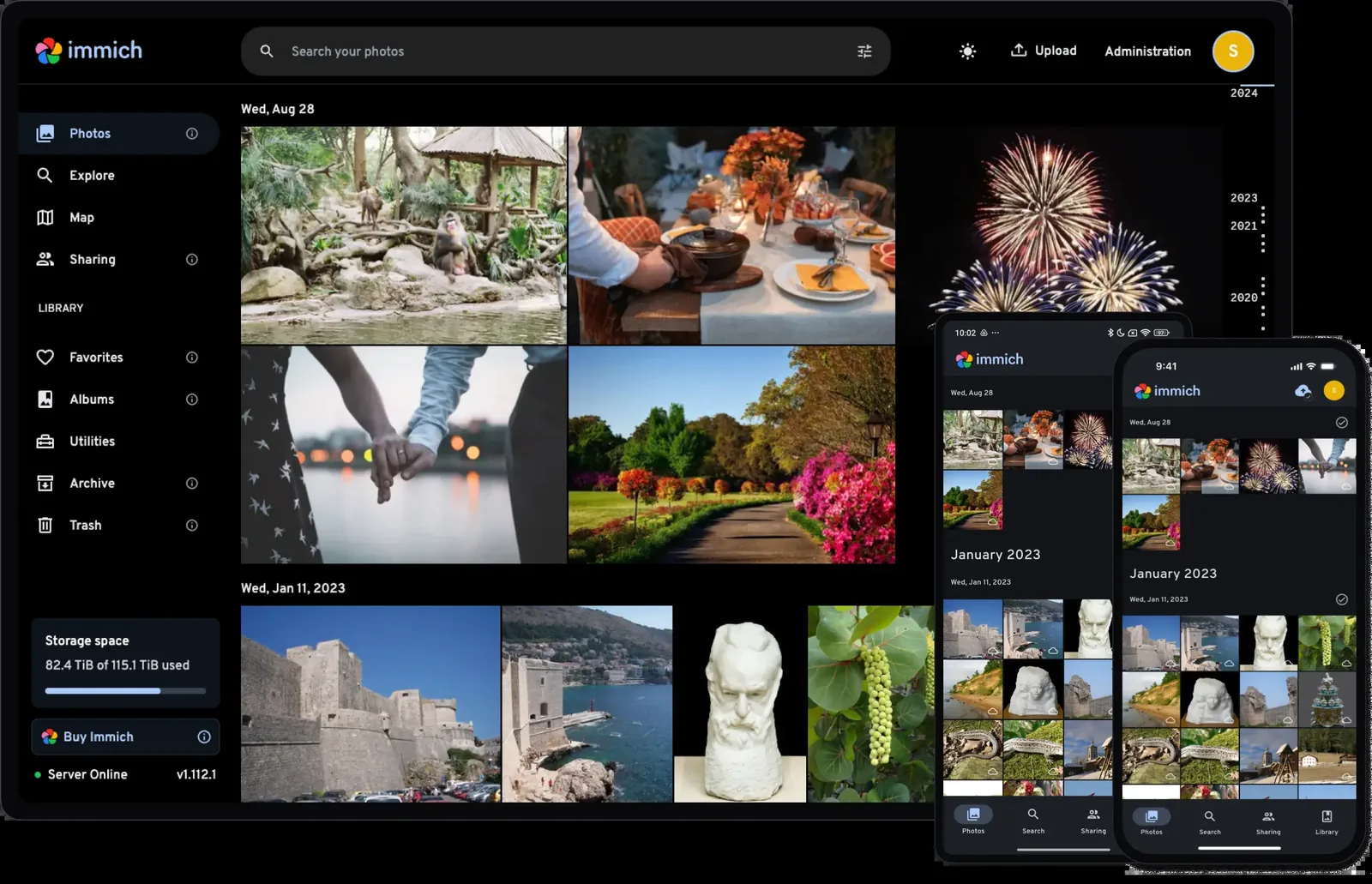
The Immich interface
immich.yourdomain.com
The Immich interface

Immich

Photo library

Your phone’s camera roll, backed up to your own disks, with the parts you actually miss from the cloud: face grouping, map view, search by what’s in the picture. The mobile app uploads in the background exactly the way the paid ones do.

mealie.yourdomain.com
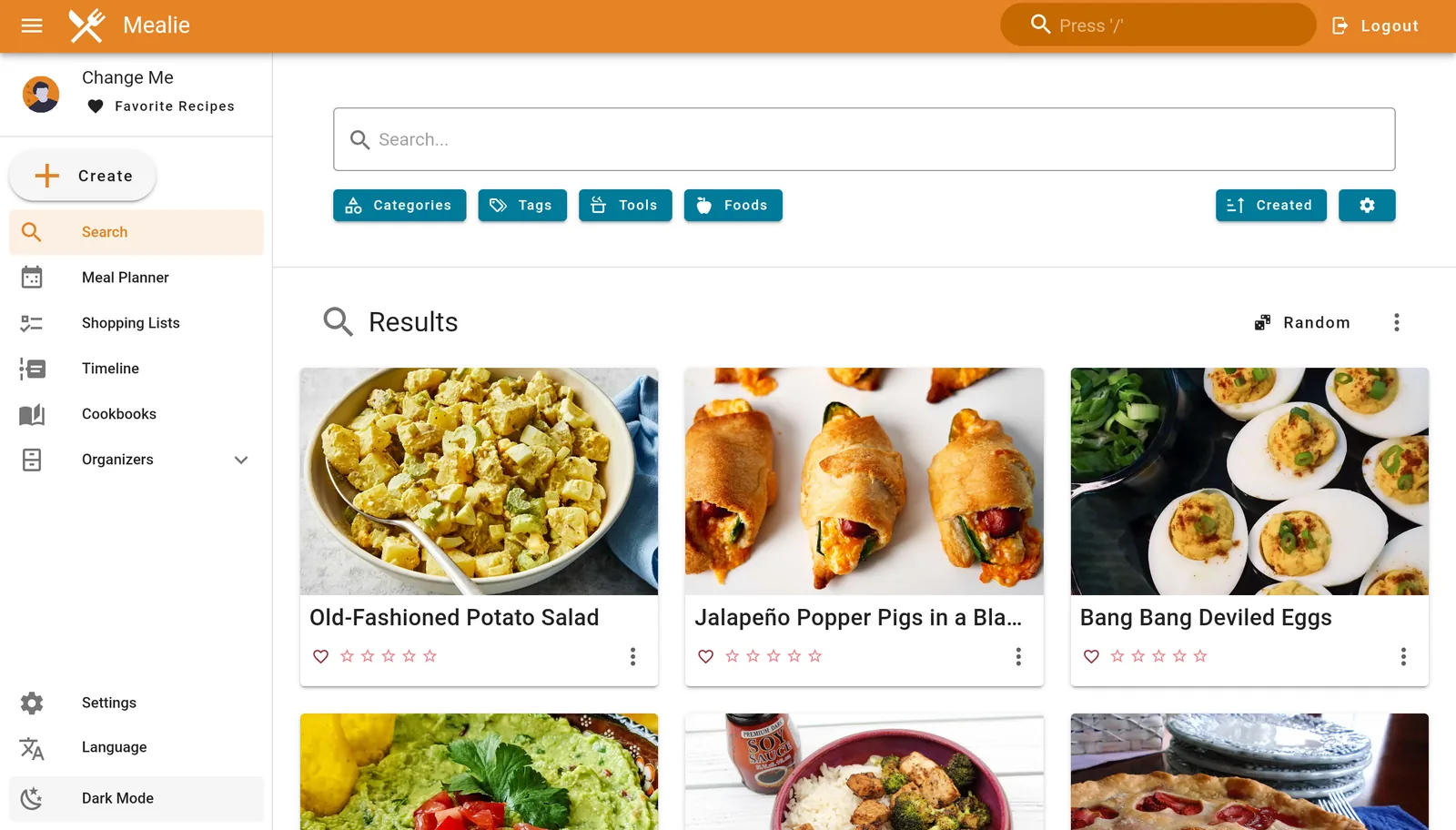
The Mealie interface

Mealie

Recipe management

Paste a recipe URL and it strips out the life story, keeping the ingredients and steps. From there it does meal plans and a shopping list that adds up quantities across everything you picked for the week.

actual-budget.yourdomain.com
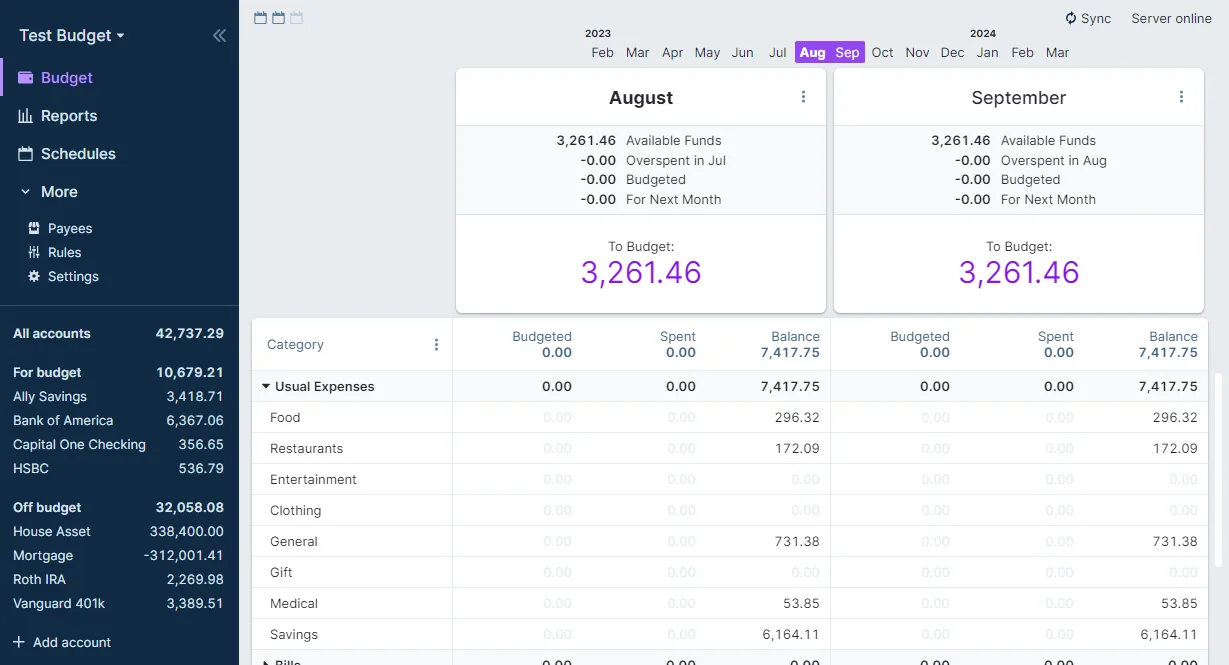
The Actual Budget interface

Actual Budget

Personal finance

Envelope budgeting that is fast and genuinely pleasant to use — every dollar gets a job, and the month either balances or it doesn’t. Transactions can arrive automatically, so the only thing left to do is categorize.

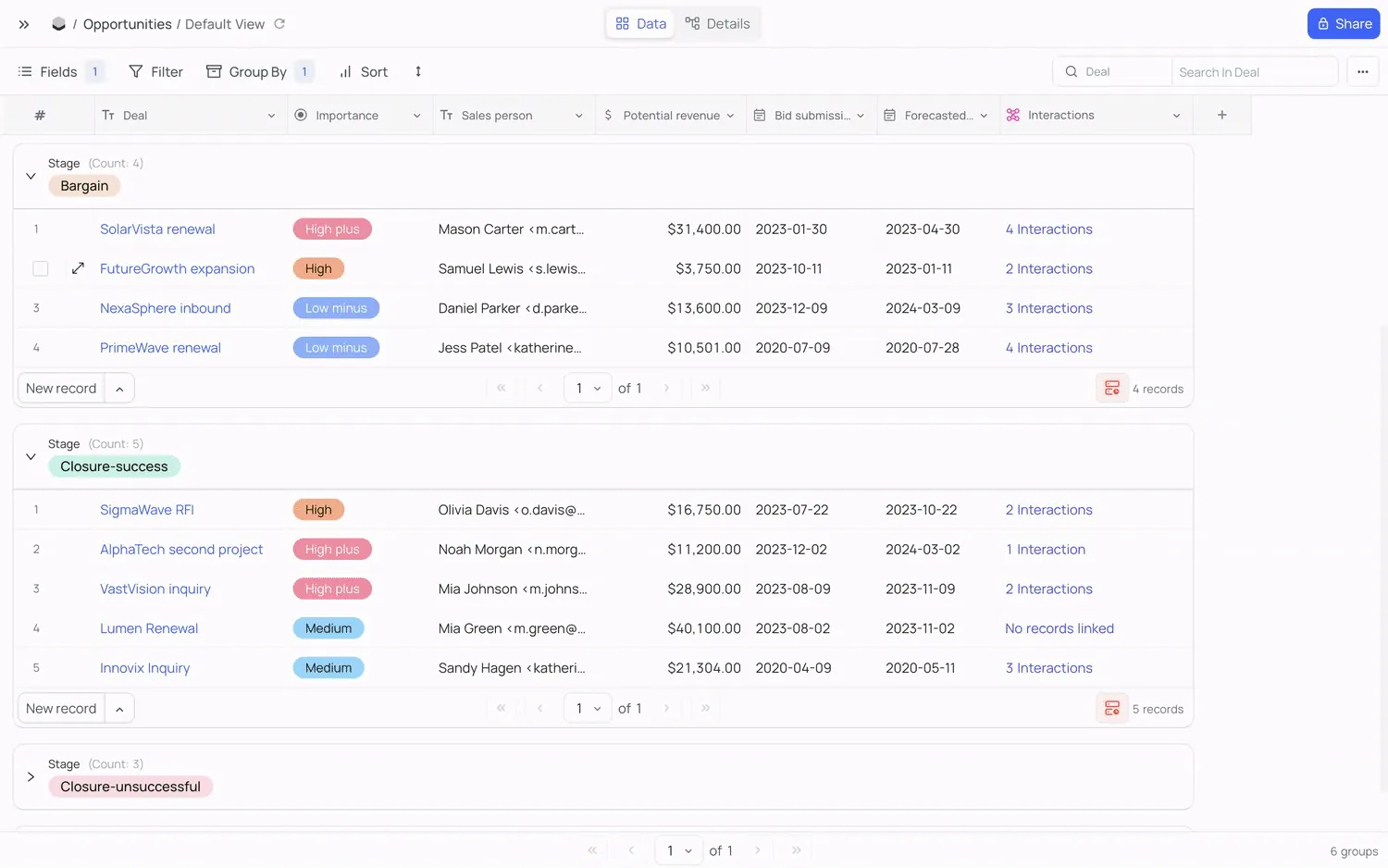
nocodb.yourdomain.com
The NocoDB interface

NocoDB

Airtable-style database UI

A spreadsheet front-end over a real database — grid, kanban, gallery, and form views over the same rows. This is where the odd personal tracker lives when a note is too loose and an app would be too much.

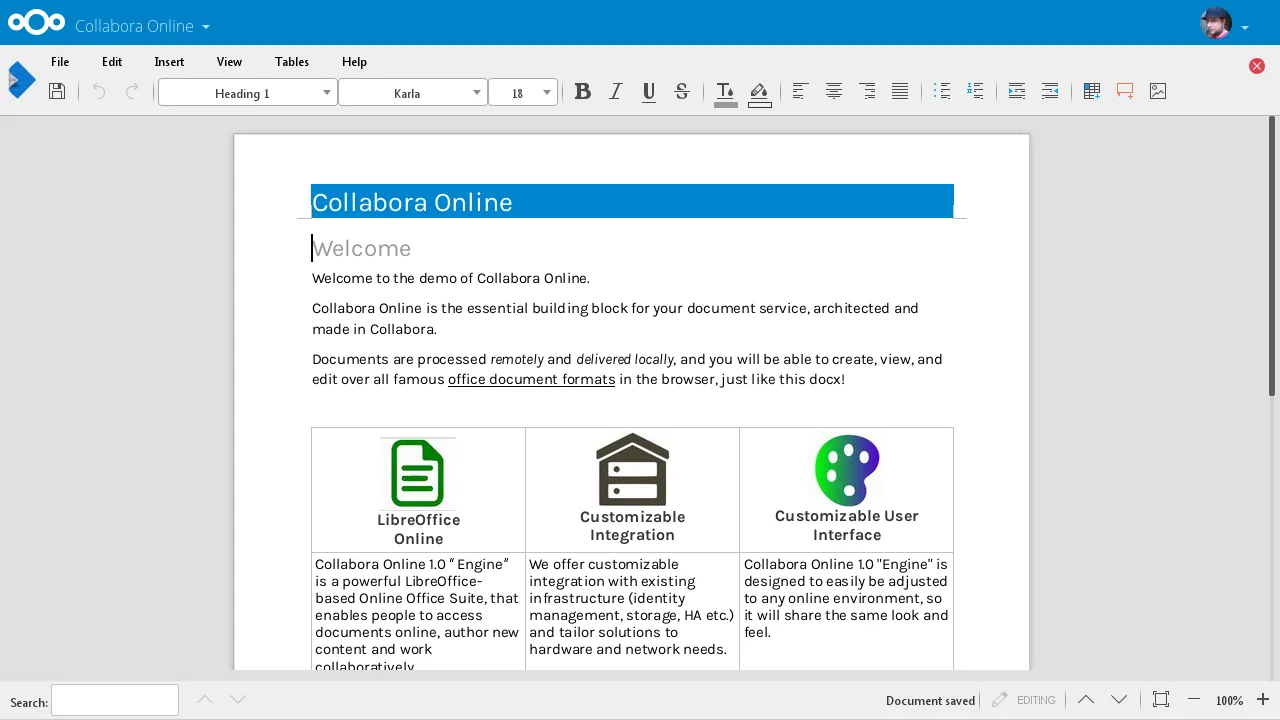
collabora.yourdomain.com
The Collabora interface

Collabora

Documents edited in the browser

LibreOffice running as a server, wired into Nextcloud so a document opens and edits in the browser tab you already had open. Nothing is uploaded anywhere to make that work — the file never leaves your disks.

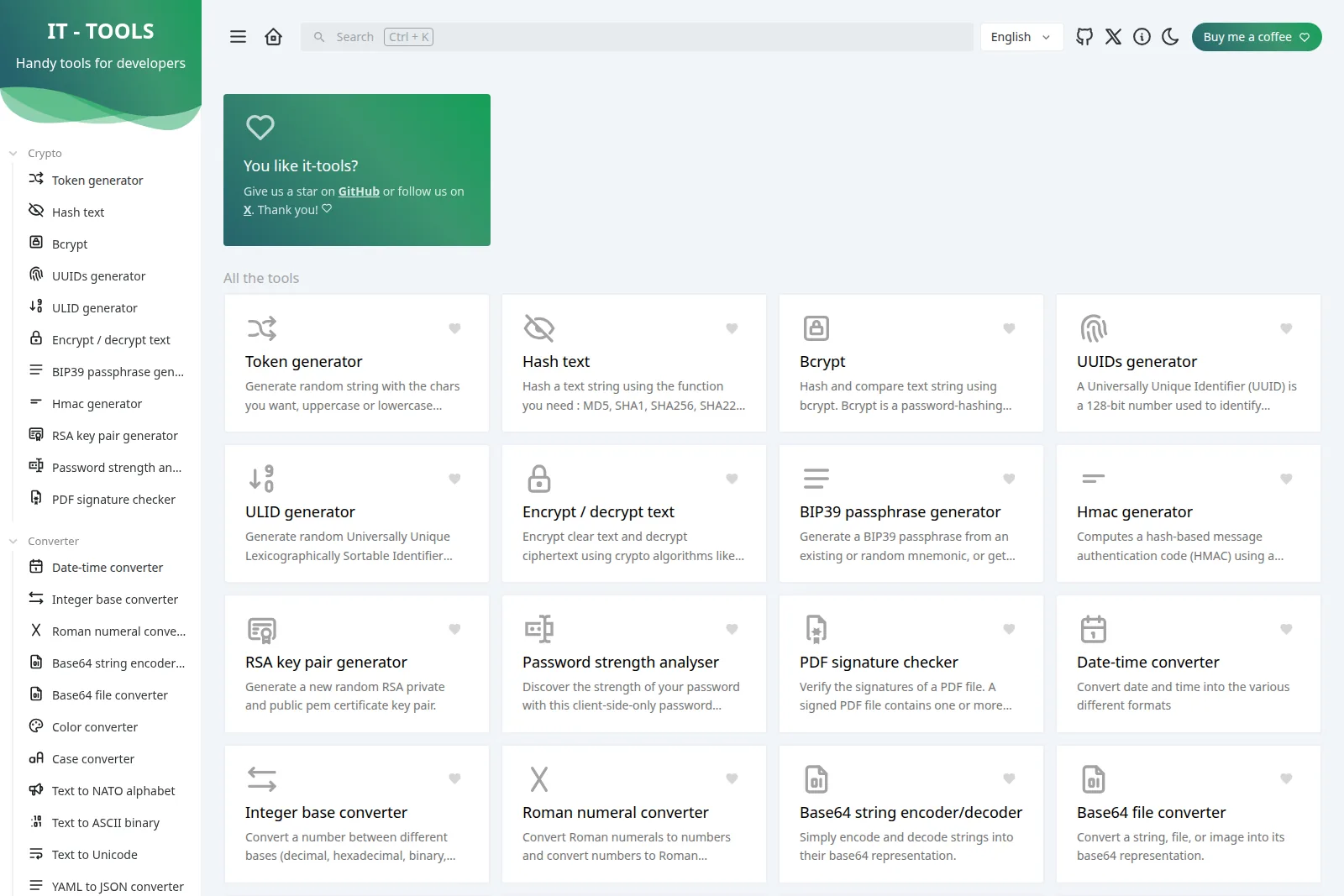
it-tools.yourdomain.com
The IT Tools interface

IT Tools

Developer utility toolkit

The whole drawer of random web utilities in one place — base64, JWT decode, hashes, cron parsing, UUIDs, colour conversion. Specifically the ones you would otherwise paste company data into a sketchy ad-covered site to get.

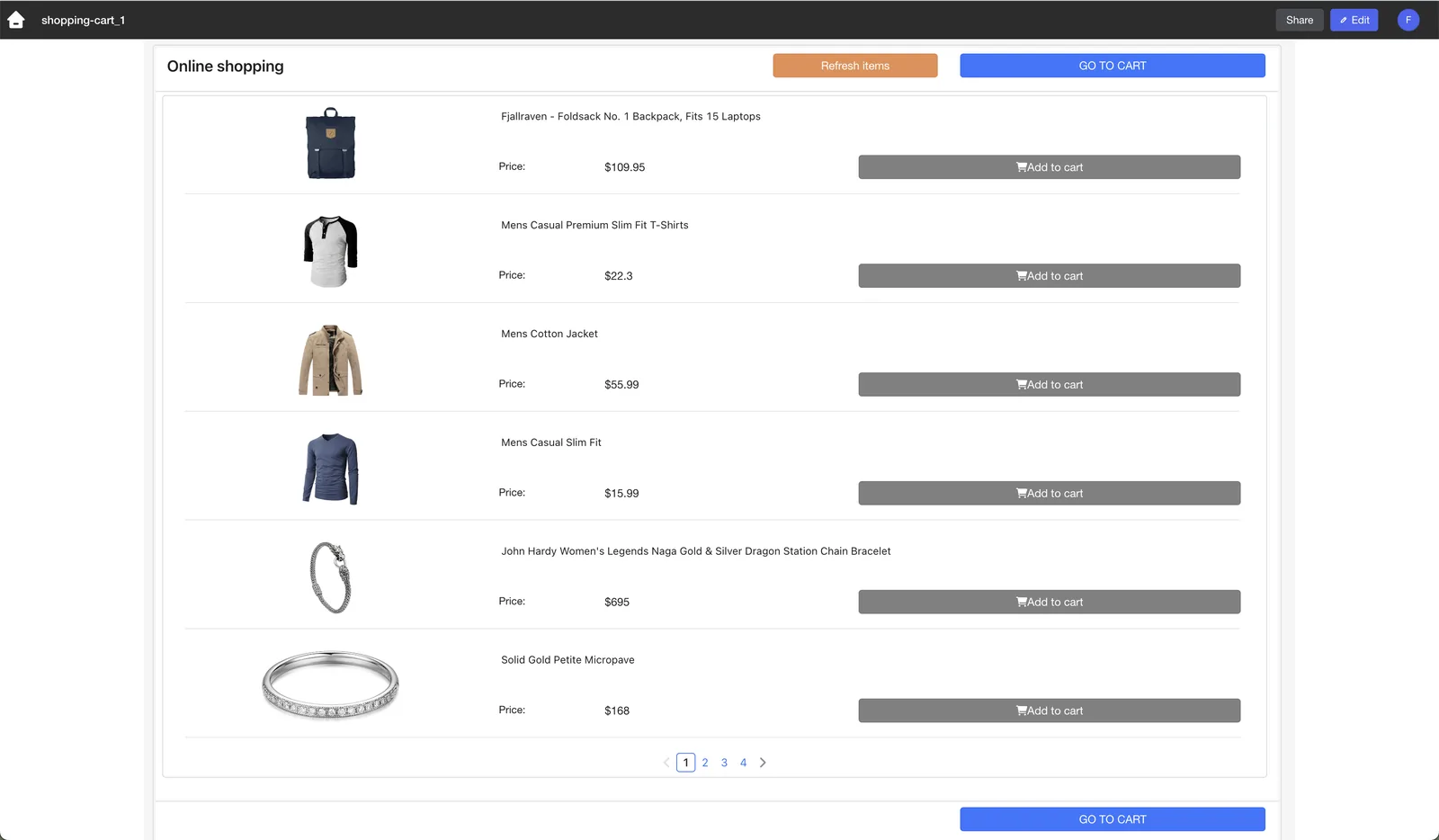
appsmith.yourdomain.com
Appsmithscreenshot coming

Appsmith

Internal-tools platform

Drag a table, a form and a chart onto a page, wire them to a query, and you have the little admin app you were going to avoid writing. Good for the one-off interface that only three people will ever use.

lowcoder.yourdomain.com
The Lowcoder interface

Lowcoder

Low-code app builder

A second take on the same idea as Appsmith, with a different editor and a more generous free tier of features. Worth having when you want a real app UI over your data without starting a frontend project.
Pick the ones you want.

Nothing here is all-or-nothing — each app is a flag you flip. The ones you enable come up wired together; the ones you don't never touch your disk.

Every screenshot above is of the upstream project's own interface. Open source notices.